Disorganized shared files waste time, cause confusion, and lead to mistakes. Good organization enables efficient collaboration where everyone can find what they need quickly.
Why Organization Matters
- Save time – Find files instantly instead of searching
- Reduce errors – No confusion about which version is current
- Enable collaboration – Team members know where things are
- Professional impression – Organized shares reflect well on you
Creating Folder Structure
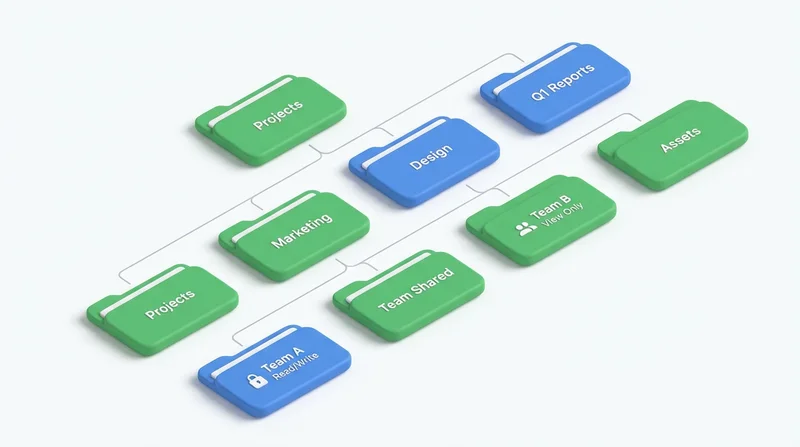
By Project/Client
Shared Files/
├── ClientA/
│   ├── Project1/
│   │   ├── Deliverables/
│   │   └── Working/
│   └── Project2/
├── ClientB/
└── Internal/
By Type/Function
Company/
├── Marketing/
│   ├── Brand Assets/
│   ├── Campaigns/
│   └── Content/
├── Sales/
│   ├── Proposals/
│   └── Contracts/
├── Operations/
└── Archive/
Choose Based On
- How people naturally look for files
- How your work is structured
- Security/permission needs
Naming Conventions
Date Format
Use YYYY-MM-DD for sortable dates:
2026-02-04_Report.pdf2026-Q1_Financial_Summary.xlsx
Version Numbers
Include version clearly:
Proposal_v1.pdf,Proposal_v2.pdfDesign_v2.1_final.psd
Descriptive Names
- Good:
Q1_Marketing_Budget_2026.xlsx - Bad:
Document1.xlsx
Avoid Spaces
Use underscores or hyphens for compatibility across systems.
Ongoing Maintenance
Regular Cleanup
- Archive completed projects
- Delete outdated files
- Remove duplicates
- Review quarterly
Permission Reviews
- Remove departed employees
- Adjust for role changes
- Verify folder access is still appropriate
See permissions guide.
Team Guidelines
- Document your folder structure
- Train new team members
- Enforce naming conventions
- Designate organization owner
See also: version control guide.