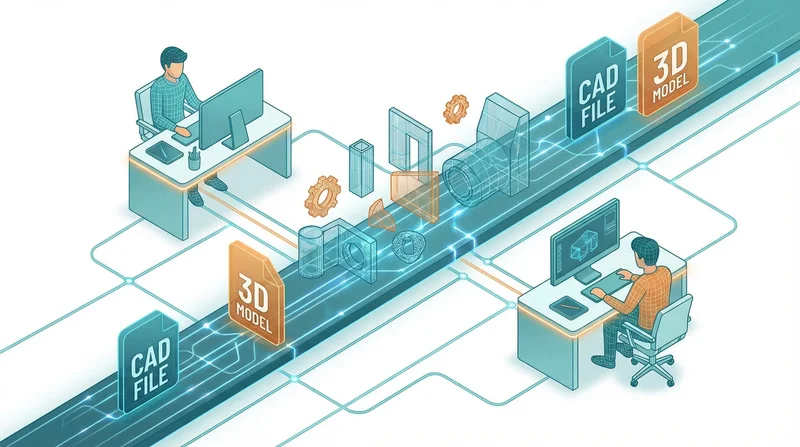
CAD files and 3D models are among the most challenging files to share. They're large, format-sensitive, and must maintain perfect integrity for manufacturing. This guide covers best practices for sharing engineering files professionally.
The Challenge with CAD File Sharing
Engineering files have unique requirements:
- Size – Complex assemblies can exceed gigabytes
- Integrity – Corruption can cause manufacturing defects
- Format compatibility – Many proprietary formats
- Version control – Multiple revisions common
- Confidentiality – Designs are valuable IP
Common CAD File Types and Sizes
| Format | Software | Typical Size |
|---|---|---|
| DWG | AutoCAD | 1-50MB |
| SLDPRT/SLDASM | SolidWorks | 50MB-2GB |
| STEP/STP | Universal | 10-500MB |
| IGES | Legacy universal | 10-300MB |
| STL | 3D printing | 5-200MB |
| OBJ | 3D graphics | 10-500MB |
| Revit (RVT) | Autodesk | 100MB-5GB |
Why Standard Methods Fail
25MB limits make email useless for most CAD files. See workarounds in our guide on email limits.
Consumer Cloud Storage
Problems with typical services:
- May compress or alter files
- Limited security options
- No engineering-specific features
- Recipients need accounts
FTP
Old-school but problematic:
- Security vulnerabilities
- Complex for recipients
- No tracking
- Outdated experience
Best Practices for CAD Sharing
1. Verify Before Sending
- Open file to confirm integrity
- Check all references/links are embedded or included
- Run any software-specific integrity checks
- Note software version used
2. Choose the Right Format
For internal team (same software):
- Native format (SLDPRT, DWG, etc.)
- Full editability preserved
- Include all linked files
For external parties/manufacturers:
- STEP – Best universal 3D format
- IGES – Legacy compatibility
- Include 2D drawings as PDF for reference
For 3D printing:
- STL – Universal mesh format
- 3MF – Modern alternative with more data
- Include print settings if relevant
3. Include Supporting Files
Package with your models:
- 2D drawings (PDF)
- Bill of materials (BOM)
- Assembly instructions
- Material specifications
- README with file versions
4. Use Proper Naming
PartName-v3.2-2026-01-15.step
AssemblyName-Rev-C.sldasm
Drawing-PartName-Final.pdf
Sharing with GetShared
Why GetShared for CAD
- No compression – Files stay exactly as uploaded
- sending large files – No size limits
- end-to-end encryption – Protect IP
- file versioning – Track revisions
- sharing without account – Manufacturers don't need signup
Workflow for Sharing CAD Files
- Upload
- Create project folder
- Upload all related files (models, drawings, docs)
- Verify upload integrity (checksums match)
- Organize
- Create subfolders: Models, Drawings, Documentation
- Name files clearly
- Add README with overview
- Share
- Create share link for folder
- password-protected sharing for proprietary designs
- link expiration after project completion
- download tracking to verify receipt
- Deliver
- Send link to recipient
- Share password separately
- Monitor downloads
Security for Engineering Files
Protecting Intellectual Property
CAD files often represent significant R&D investment:
- end-to-end encryption – Content protected even if intercepted
- password-protected sharing – Additional access barrier
- link expiration – Limit exposure window
- Download limits – Prevent redistribution
- NDA tracking – Note who accessed files
Compliance Considerations
Some industries have requirements:
- ITAR – Defense-related technical data
- EAR – Export controlled items
- Client contracts – Specific handling requirements
GetShared's security features support compliance needs.
Version Control for CAD
Engineering projects evolve through many revisions:
Using GetShared's Versioning
- file versioning automatically tracks uploads
- Previous revisions retrievable
- Clear history of changes
Naming Convention Alternative
If you prefer explicit versioning:
Part-v1.0.step
Part-v1.1.step (minor revision)
Part-v2.0.step (major revision)
Team Collaboration
For engineering teams, team collaboration features provide:
- Shared project folders
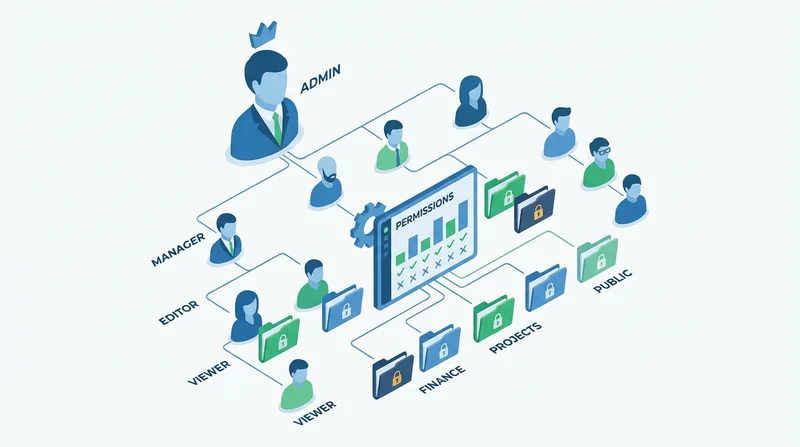
- Permission control (read-only for reviewers)
- Activity tracking
- Centralized file management
Conclusion
CAD and 3D model sharing demands file integrity, security, and flexibility. GetShared provides all three – no compression, end-to-end encryption, and sending large files capability. Combined with password-protected sharing and download tracking, your engineering files are protected and professional to share.
sign up for GetShared and share engineering files with confidence.