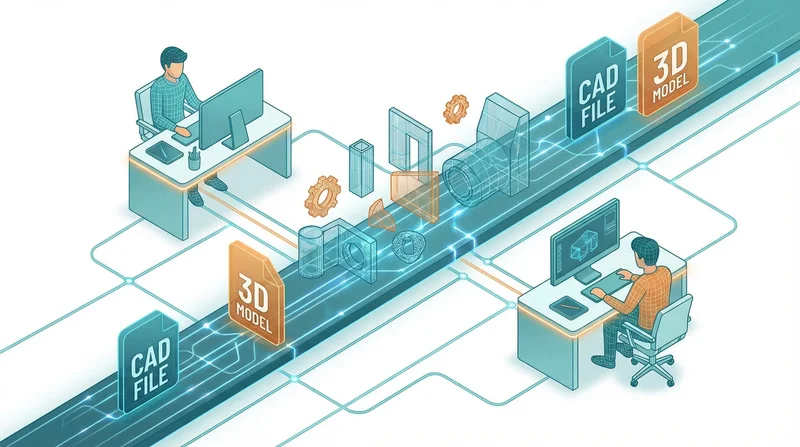
3D models, CAD files, and large design assets present unique file sharing challenges. File sizes often reach gigabytes, dependencies between files create complexity, and format compatibility varies widely. This guide covers best practices for sharing design files efficiently.
Understanding Design File Challenges
Size Issues
Design files are often massive:
- CAD assemblies – 100MB to several GB
- 3D models with textures – 500MB to 10GB+
- BIM projects – Often 1GB to 50GB+
- Render files – High-res renders can be 100MB+ each
Email simply cannot handle these sizes. Even many cloud services struggle with files over 5GB.
Dependency Complexity
Design files rarely stand alone:
- CAD assemblies reference multiple part files
- 3D models link to texture and material files
- Projects include fonts, images, and libraries
Missing one dependency can make the entire project unusable.
Format Compatibility
Not everyone has the same software:
- AutoCAD files need AutoCAD or compatible viewer
- Revit files need Revit
- Proprietary formats may not open elsewhere
Common Design File Types
CAD Files
| Format | Software | Typical Size |
|---|---|---|
| DWG | AutoCAD | 1-500MB |
| DXF | Universal CAD | 1-200MB |
| STEP/STP | Universal 3D | 10-500MB |
| IGES | Universal 3D | 10-300MB |
3D Modeling Files
| Format | Software | Typical Size |
|---|---|---|
| SKP | SketchUp | 10-500MB |
| 3DS/MAX | 3ds Max | 50MB-5GB |
| BLEND | Blender | 50MB-2GB |
| OBJ/FBX | Universal | 10MB-1GB |
| C4D | Cinema 4D | 50MB-2GB |
BIM Files
| Format | Software | Typical Size |
|---|---|---|
| RVT | Revit | 100MB-50GB |
| IFC | Universal BIM | 50MB-5GB |
| NWD/NWC | Navisworks | 100MB-10GB |
Best Practices for Sharing
1. Package Everything Together
Before sharing, collect all dependencies:
- Use "Pack and Go" or equivalent feature
- Include all referenced files
- Verify the package opens correctly
2. Include Viewer-Friendly Formats
Not everyone can open native files. Include:
- PDF – 2D drawings, documentation
- 3D PDF – Interactive 3D viewing
- Images – Rendered views (PNG, JPG)
- STEP/OBJ – Universal 3D formats
3. Organize Logically
ProjectName/
├── Native/
│   └── (original software files)
├── Exchange/
│   └── (STEP, OBJ, IFC exports)
├── Documentation/
│   └── (PDFs, drawings)
├── Renders/
│   └── (images, visualizations)
└── README.txt
4. Document the Package
Include a README with:
- Software versions used
- File descriptions
- Opening instructions
- Contact for questions
5. Use Appropriate File Sharing
GetShared handles files up to 200GB – perfect for large design projects. Features include:
- No file size anxiety
- Download tracking to confirm receipt
- Password protection for client confidentiality
- Link expiration for project-based access
Industry-Specific Tips
Architecture
- Include IFC for BIM coordination
- Provide PDF drawing sets
- Include rendered perspectives
Product Design
- Include STEP for manufacturing
- Provide 2D drawings with dimensions
- Include material specifications
Visual Effects/Animation
- Package textures with models
- Include preview renders
- Document rigging/animation setup
Compression Considerations
For very large projects:
- ZIP provides universal compatibility
- 7z offers better compression but needs software
- Consider splitting into logical chunks
See our compression guide.
Collaboration Workflows
For ongoing collaboration:
- Establish version naming conventions
- Use version control
- Set up team folders for projects
Conclusion
Sharing 3D models and design files requires:
- Packaging all dependencies
- Including viewer-friendly formats
- Clear organization and documentation
- File sharing that handles large sizes
Try GetShared free – handles files up to 200GB with no compression required.